
Cleemo AI · AI agents for real estate agencies
You didn't get into real estate to run repetitive tasks.
Cleemo AI puts AI agents, which we call AI employees, to work in your real estate agency. They find a document, prepare a listing or a draft reply, in Cleemo App or alongside your tools, depending on their access. Nothing goes out without your approval.
 Ask Cleemo.What can an AI employee do for my agency?
Give your team support where it needs it. Your AI employees rely on the documents, tools and instructions you entrust to them to move your agency’s work forward.



AI employee
Property management
Find a lease or a document, get an answer about a unit and have a draft reply to a tenant prepared. Sending and reminders stay with your team.
Prospecting
Prepare contact qualification, follow-up messages and next sales steps from the information available. Your team decides which actions to take.

Maintenance
Gather the context of a request (property, lease, documents) and have the message to send prepared. In Cleemo App, the tenant’s request becomes a ticket tracked by your team.

Sales
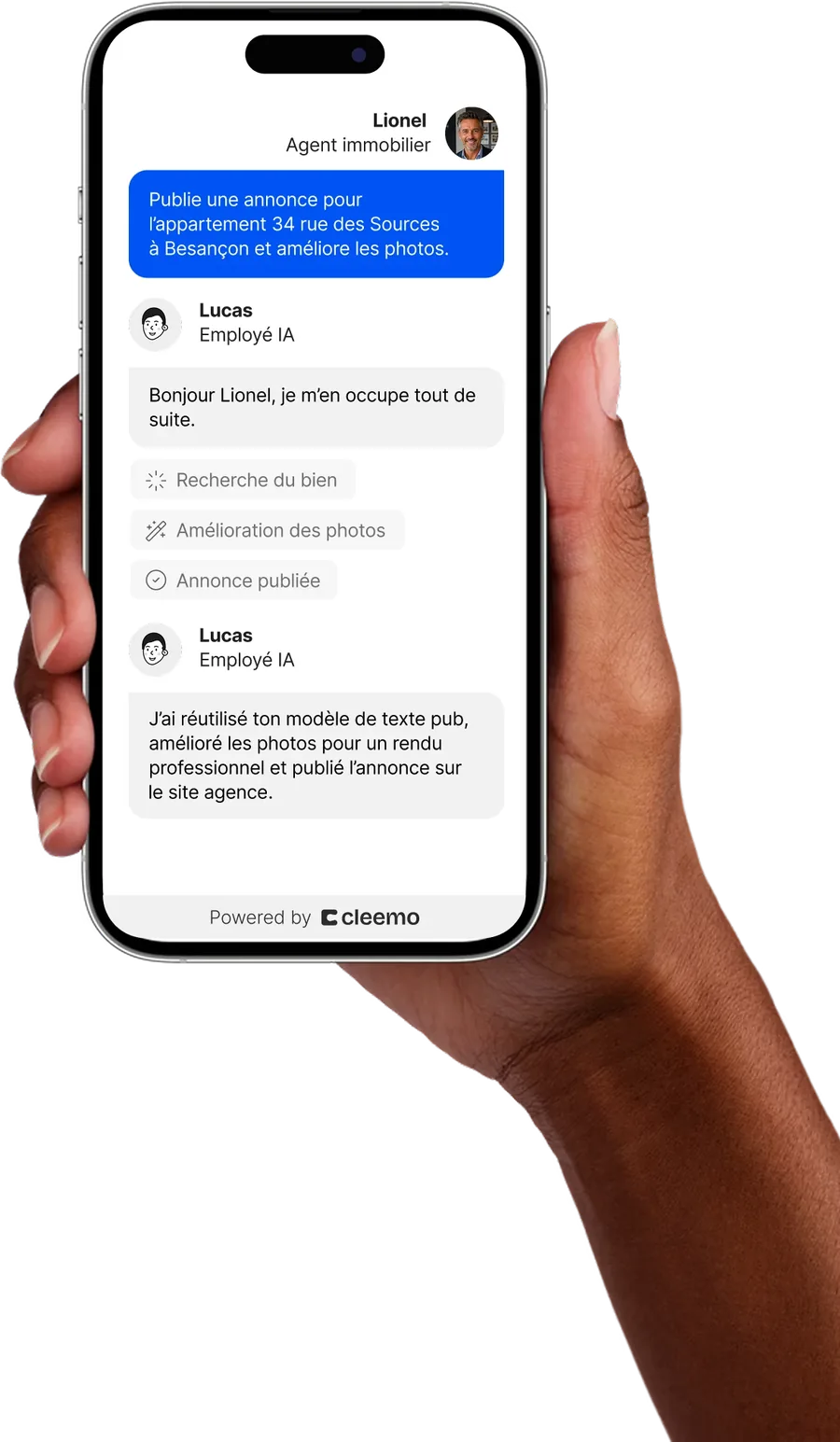
Have your listings prepared for portals such as Zillow and Realtor.com, and publish them on your agency’s website after your approval. Have a short video of the property created from its photos.
Cleemo Assistant
Ask for a document, information about a property or the preparation of a task, in writing or by voice. The AI assistant works with the permissions you have granted it.



Solves real business problems
A document to find, a request to qualify, a follow-up to prepare: Cleemo AI uses the context it can access in your agency to carry out the agreed tasks. You set the access, the instructions and the steps that require your approval.
- The context each task needs
- Your documents and the tools you authorize
- Actions framed by your instructions
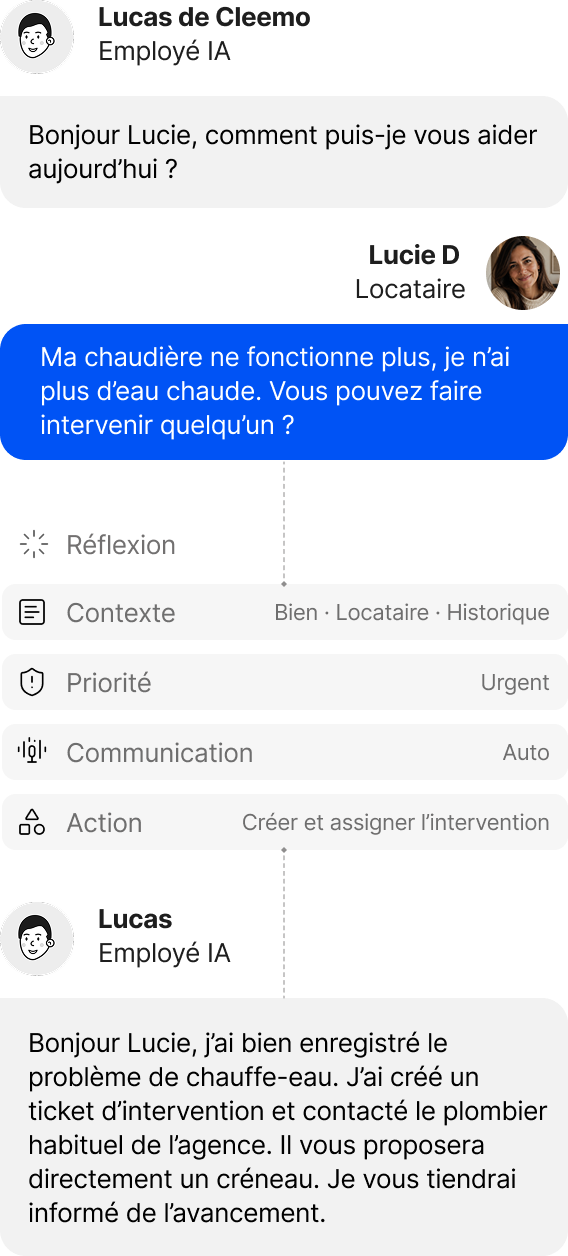
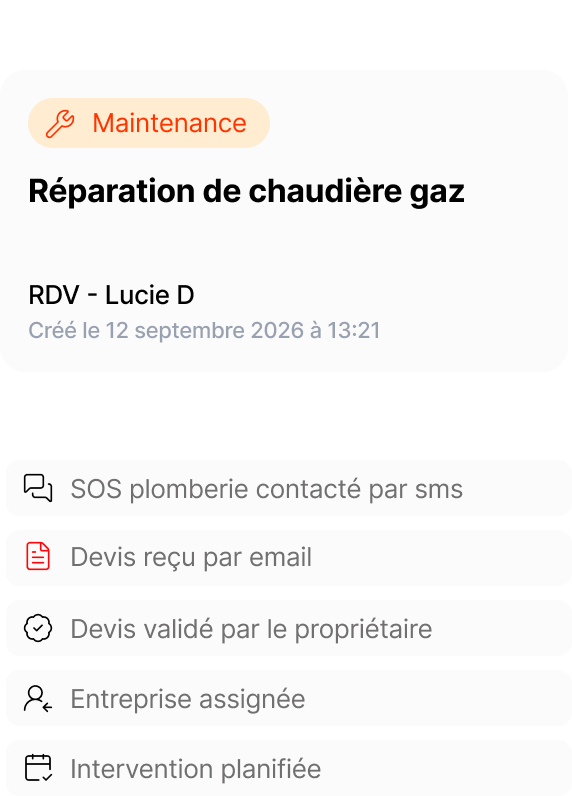
From a request received to a prepared task that you approve.
This example shows what can be delegated: gathering the context, preparing a repair and moving its follow-up forward. The available actions are defined with you, according to your organization and the connected tools.
A plan sized to the tasks you delegate.
Let’s review your priorities, your tools and the scope of your future AI employees so we can recommend the right plan.
A rollout built with your team.
We start from your daily tasks and your software. Together, we define a useful first scope, check which connections are possible and test the actions before they go live.
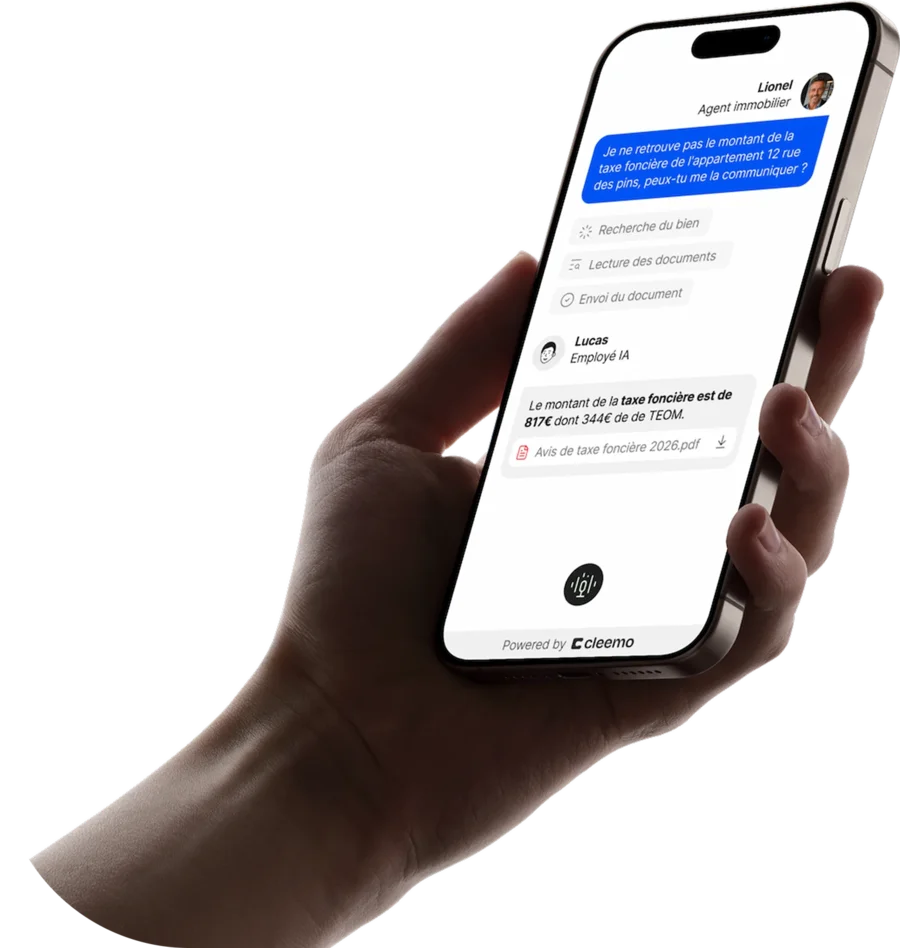
Cleemo App, voice, Telegram: choose how you reach it.
You write to your AI assistant in Cleemo App and you can talk to it in the web app. Your team can also reach it on Telegram, in a shared conversation. You choose who in the agency can write to it.